Adding a New Monitoring Profiles
You can add a new Monitoring Profile via the Manage ➡ Monitoring Profiles section of the Portal.

Set a Display Name, select a Time Zone, Run Time, and Frequency.
- The Run Time value determines what time of day your checks are run (relative to the Time Zone selected)
- The Frequency determines how frequently your checks are processed.
warning
Changing the Frequency value on your Monitoring Profile will affect your monitoring costs.
See the Cost Calculator to estimate your monitoring costs based on the frequency you've selected.
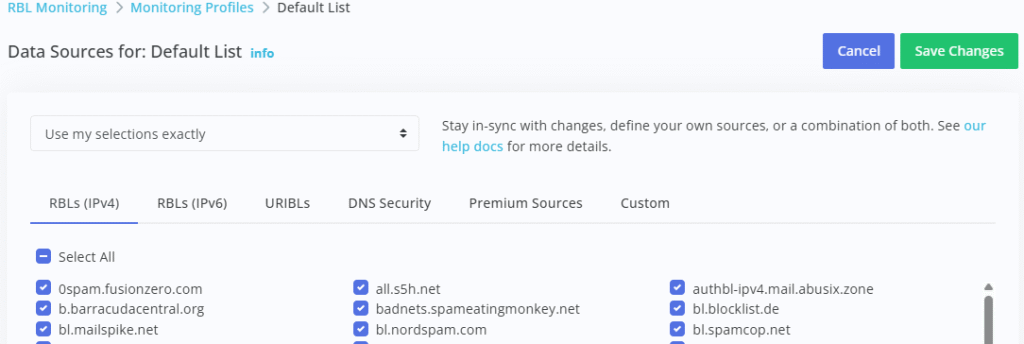
Once created, you can click the Data Sources link on the new Monitoring Profile to manage data sources used to monitor hosts associated with this Monitoring Profile. This lets you ignore sources that you may not be interested in: