Telegram
Adding a Contact
To start receiving notifications via Telegram, follow the steps below:
In Telegram
Open the Telegram app, and search for the RBLTracker bot:
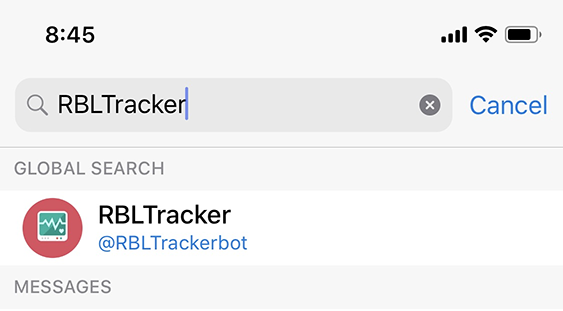
Then start a new conversation with the RBLTracker bot by clicking the Start button, or type /start in the chat:
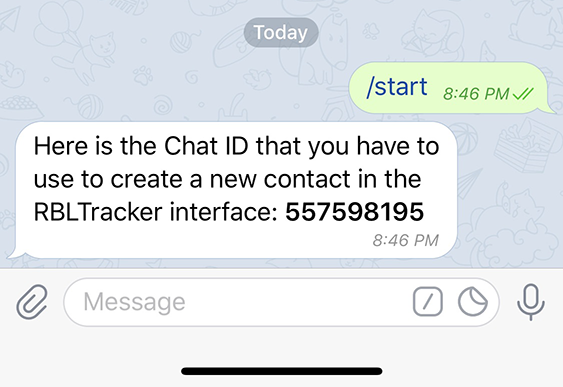
The RBLTracker bot will automatically reply, and give you the Chat ID that you need to paste into the new contact in the Portal.
In the Portal
Go to the Manage ➡️ Contact section of the Portal, and click the Add Contact button in the top right corner:

Select Telegram from the Contact Type drop-down, enter the Chat ID in the Chat ID field, select a Frequency, and select one or more Contact Groups to associate with this new contact.
Once you've added the new contact, you’ll immediately be able to start using it.