Setting up Contact Groups
Contact Groups let you easily control which contacts on your account are alerted when a host is listed. You can specify as many Contact Groups on your account as you like — every host could have their own Contact Group if you want.
Contact Groups can be added via the Manage ➡️ Groups section of the Portal. Simply enter the Name (label) of the Contact Group, and click Add Contact Group.
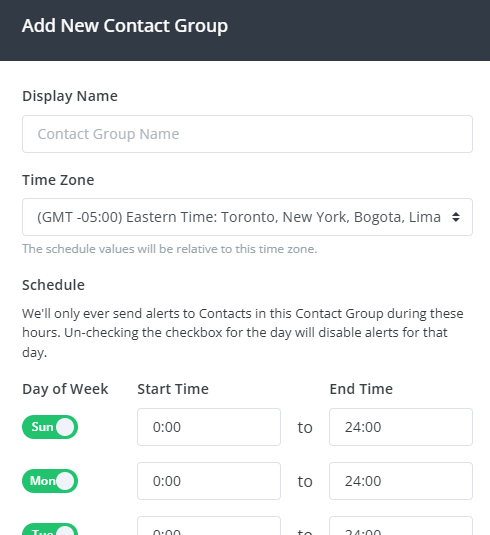
Contact Groups can include a time zone and weekly schedule (start & end times per day); alerts are only sent to this group during the scheduling window. This means you can configure groups of contacts that will only receive alerts during business hours, after-hours, or only on weekends. Times selected are relative to the selected time zone.
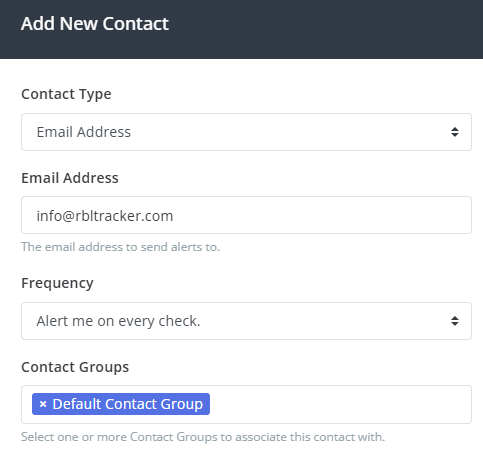
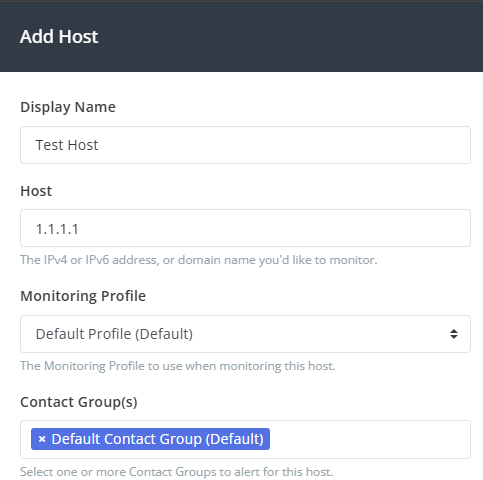
Once the Contact Group is added, it can be selected when adding/editing Contacts, from the Manage ➡️ Contacts section, or when adding/editing Hosts from the Manage ➡️ Hosts section.