Viewing the Check History
The Home ➡️ Check History page of the Portal provides customers with full details of the checks done on their account for the last 3 months:
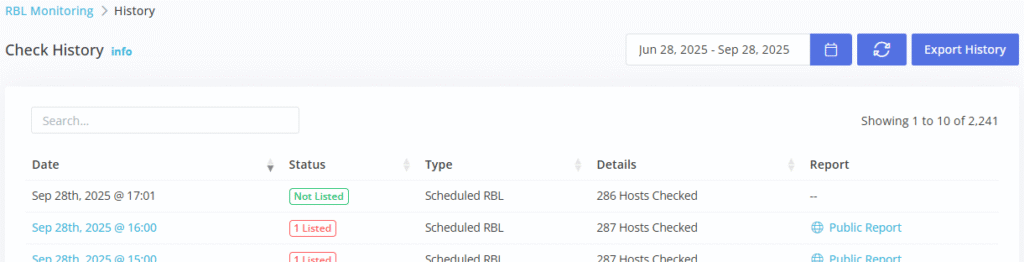
- Date – the date and time this check was processed (relative to the customers time zone).
- Status – the overall results of this check.
- Type – either Manual if this check was manually run from the Portal, or Scheduled if the check was processed by our automated monitoring process.
- Details – is the total number of hosts checked in this run.
- Report – a link to a public report that can be shared with the details of this check.
Click the Date link to drill down into check specific results:
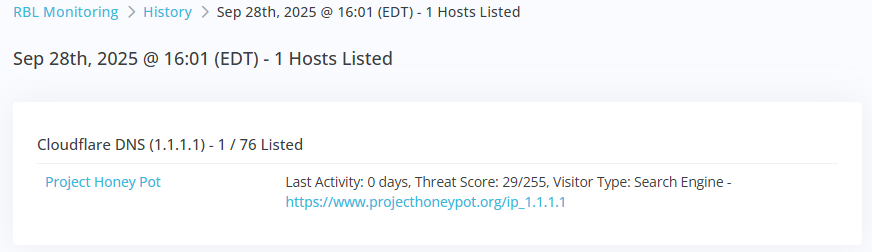
The results overlay will list all the hosts processed in this check, and all RBL details for any listed hosts.